
Knowledge Base
Tradentrix's knowledge base walks you through everything from signing up your account to running your day-to-day work from the dashboard, covering jobs, customers, calendar, invoicing and more.
Dashboard guides
Need help using the dashboard?
Useful information
Other questions about the service?
Can't add a team member
If "Invite team member" is missing or disabled on the Team page, it's almost always down to your plan's user limit.
Why this happens
Every plan includes a set number of team members. The Team page shows how many of that allowance you're currently using. Once you've reached it, the invite button is replaced with a message telling you to upgrade your plan to add more, rather than letting the invite fail.
How to fix it
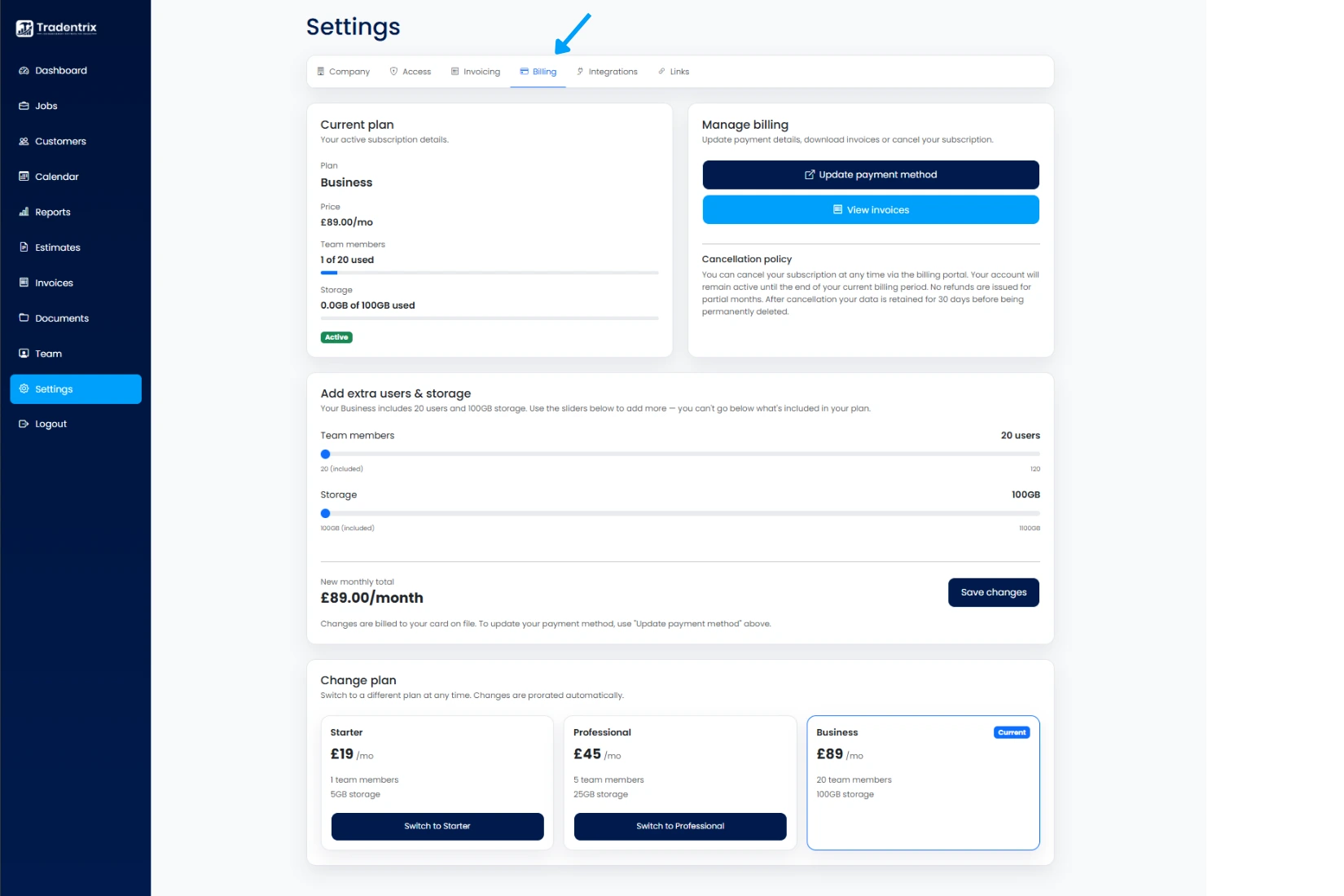
You've got two options: free up a spot by removing someone who's no longer with the company, or add more users to your plan from Settings, in the Billing tab, either by adding extra users on top of your current plan or moving up to a plan with a higher allowance included. Either way, the invite button reappears as soon as you're back under your limit.