

Knowledge Base
Tradentrix's knowledge base walks you through everything from signing up your account to running your day-to-day work from the dashboard, covering jobs, customers, calendar, invoicing and more.
Dashboard guides
Need help using the dashboard?
Useful information
Other questions about the service?
Customers
Every customer your company works with lives here, along with their contact details, jobs and invoices.
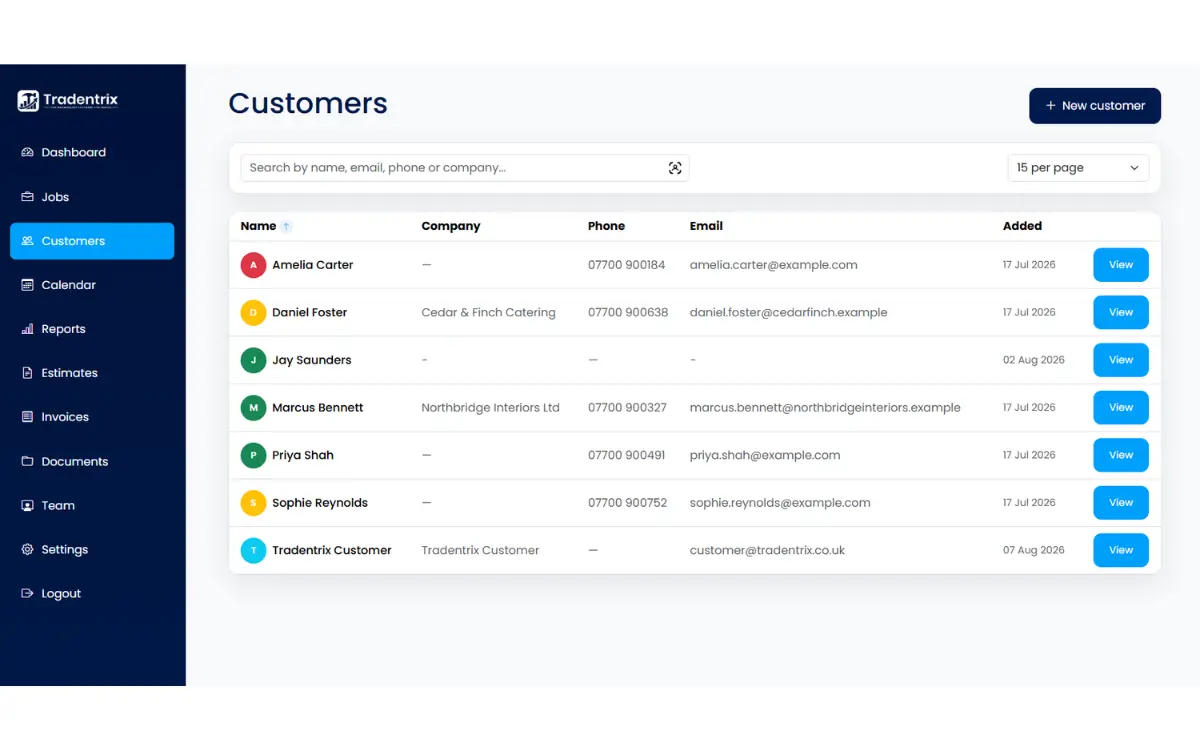
The customers list
Search by name, email, phone or company to find someone quickly, and choose how many results to show per page. Click any row to open that customer's full page. If you have edit access, "New customer" adds someone new.
Adding a customer
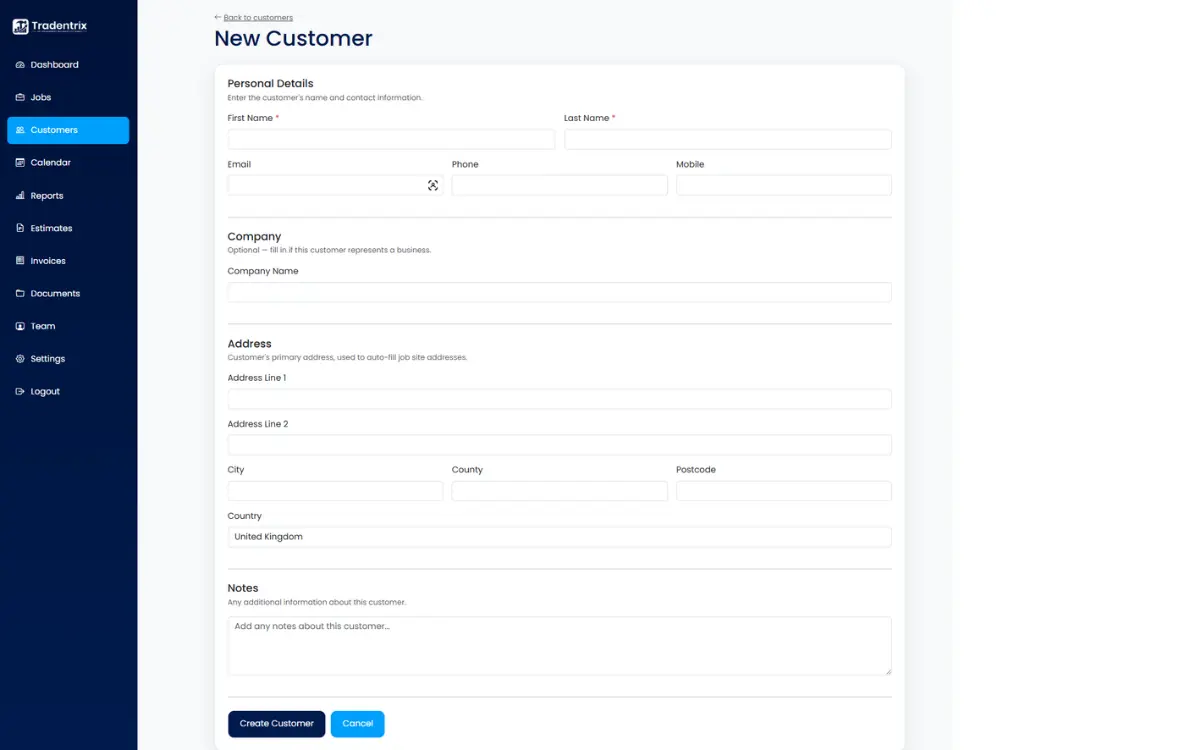
The new customer form covers:
- Personal details: first name and last name are required, plus email, phone and mobile.
- Company: optional, fill this in if the customer represents a business rather than an individual.
- Address: their main address. This is what auto-fills the site address when you create a job for them, though it can always be changed per job.
- Notes: anything else worth remembering about them.
The customer page
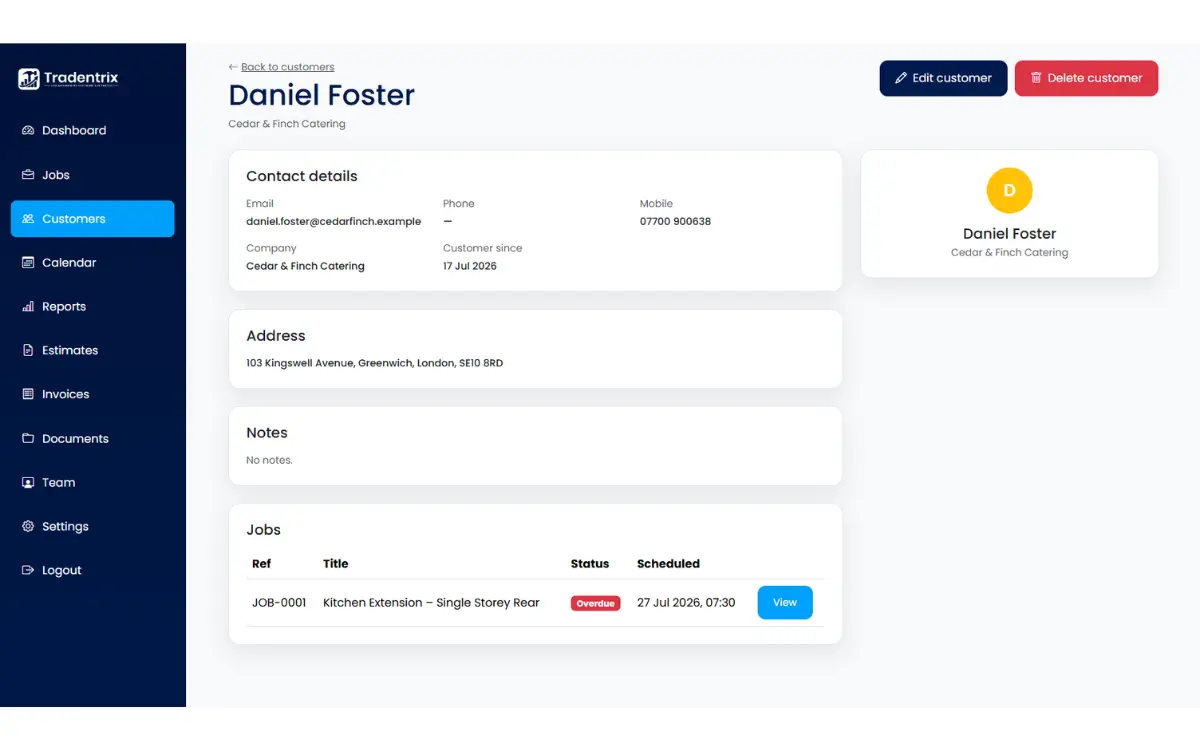
Opening a customer shows everything tied to them.
Header and actions
Their name and company. If you have edit access you'll see "Edit customer" and "Delete customer" here. Deleting a customer keeps their existing jobs, estimates and invoices, it just removes the link to them, so your records stay intact.
Contact details
Email, phone, mobile, company and how long they've been a customer.
Address
Their main address, used as the default site address on new jobs.
Notes
Any notes added when the customer was created or edited.
Jobs
Every job linked to this customer, with its status and scheduled date, and a link through to each one.
Invoices
Every invoice raised against this customer, with its status, total and due date. This section only appears once the customer has at least one invoice.