

Knowledge Base
Tradentrix's knowledge base walks you through everything from signing up your account to running your day-to-day work from the dashboard, covering jobs, customers, calendar, invoicing and more.
Dashboard guides
Need help using the dashboard?
Useful information
Other questions about the service?
Reports
Reports pulls together the numbers behind your jobs and your finances, so you can see how the business is actually performing. Access depends on the reports permission set for your account.
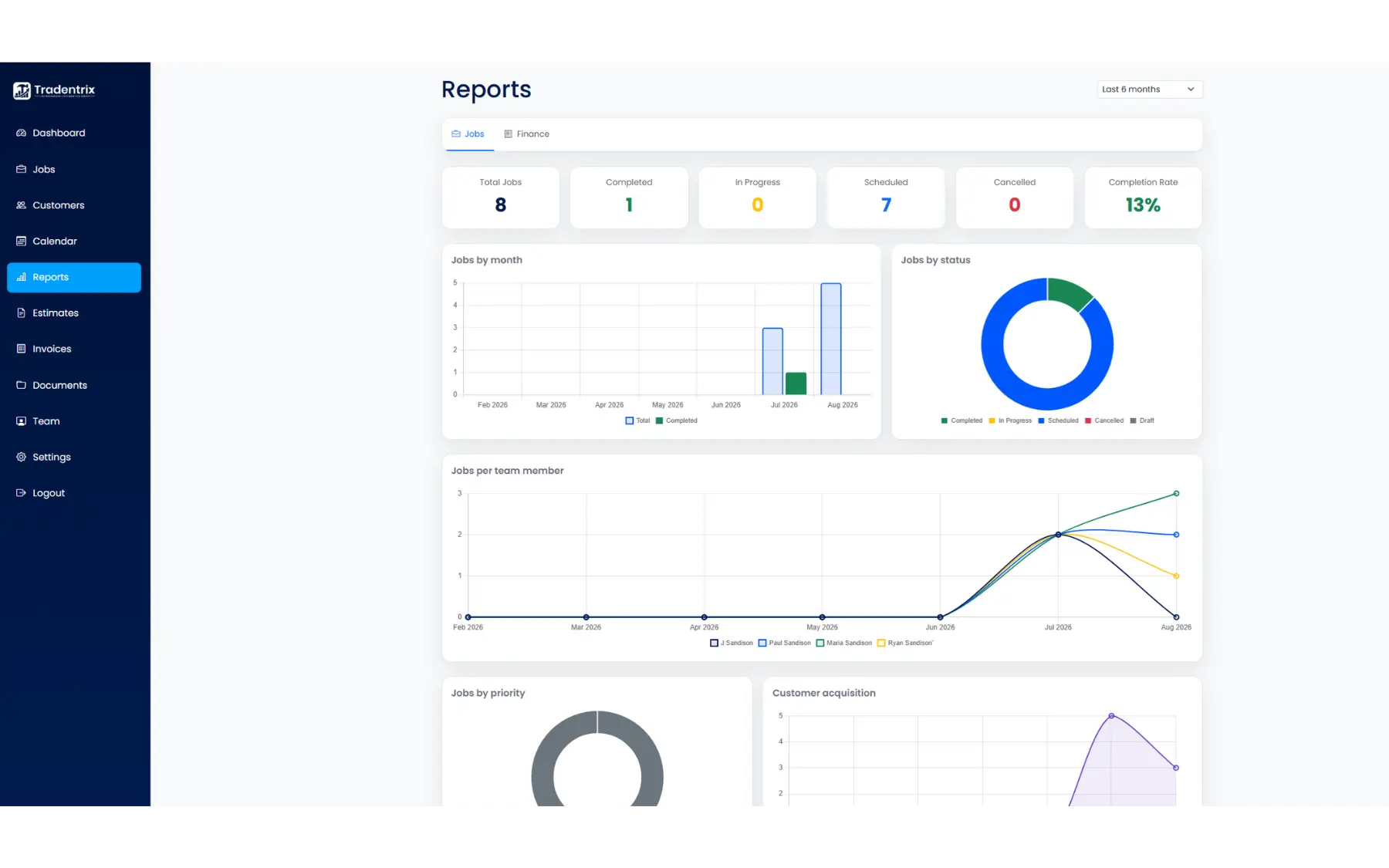
Date range
A single dropdown at the top controls the whole page: This month, Last 3 months, Last 6 months (the default) or This year. Every chart, table and summary tile updates to match.
Jobs tab
Summary tiles across the top show Total Jobs, Completed, In Progress, Scheduled, Cancelled and your Completion Rate. Below that:
- Jobs by month: total jobs against completed jobs, month by month.
- Jobs by status: a breakdown of where your jobs currently sit.
- Jobs per team member: how many jobs each person has been assigned over time.
- Jobs by priority: how your jobs split across priority levels.
- Customer acquisition: new customers gained by month.
- Top customers by jobs: a ranked table of your most frequent customers.
Finance tab
Requires a separate finance permission. If you don't have it, the tab doesn't show at all, rather than showing and then denying you. Summary tiles show Paid, Overdue, Profit and Outstanding, all in £. A note under these tiles is worth remembering: profit is based on paid invoices only, not on quoted or estimated job value, and outstanding means invoiced but not yet marked as paid.
- Profit over time: quoted, cost and profit plotted together by month.
- Cost breakdown: labour, absence, material and travel costs stacked by month.
- Estimate conversion: how many estimates were sent, accepted, declined or expired, plus your conversion rate.
- Invoices: counts by status (draft, sent, paid, overdue), along with total paid and outstanding amounts.
Team Hours tab
Owner only, it doesn't show for anyone else, including Admins. A table of hours per team member, switchable between "By week" and "By month". Figures are based on each job's scheduled time, not clocked hours, so treat it as a starting point for payroll rather than a substitute for actual timesheets.